Share this article:
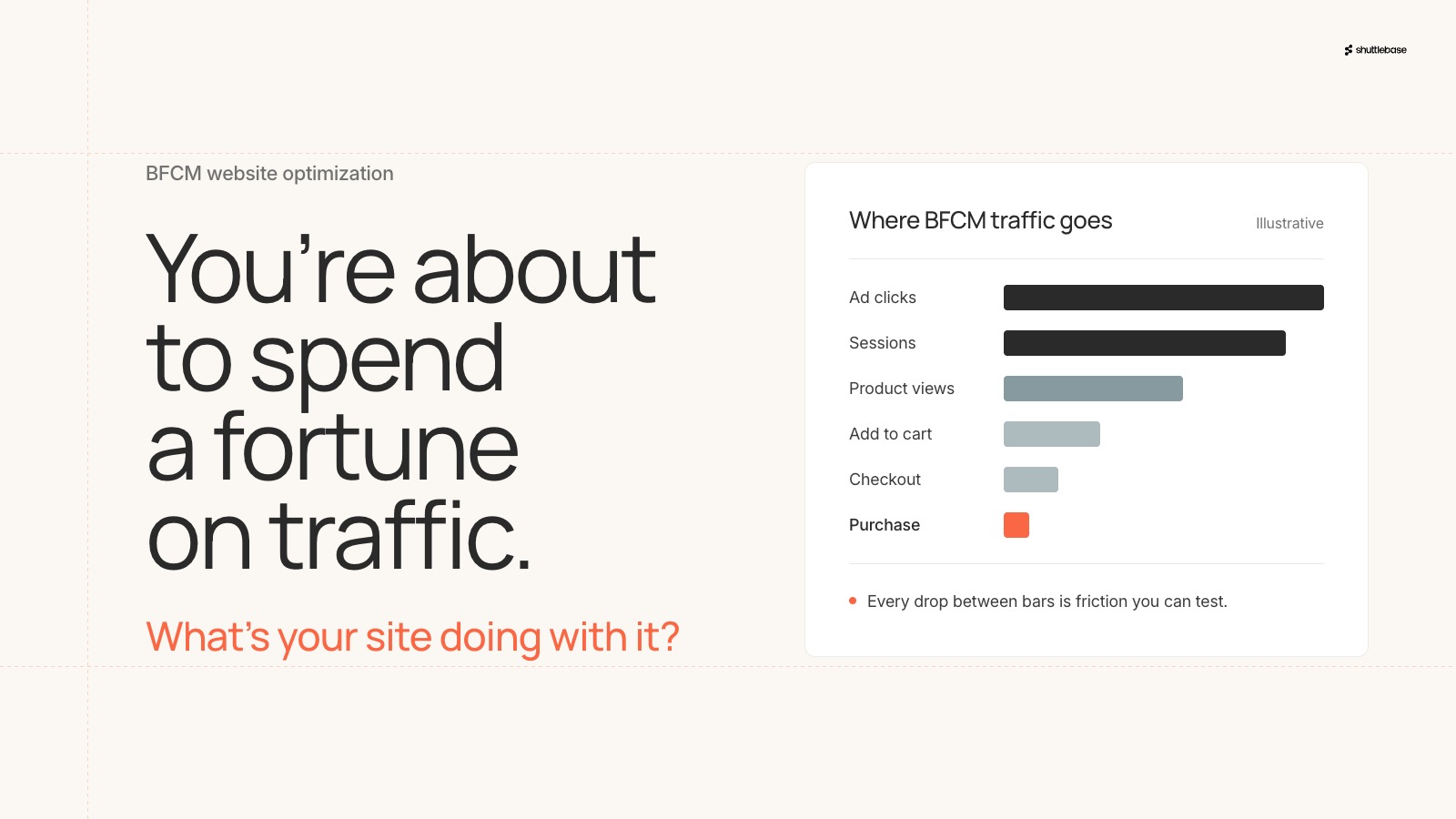
Right now, somewhere in a conference room or Zoom meeting, thousands of marketing teams are prepping BFCM (Black Friday Cyber Monday) ads to catch the attention of holiday shoppers in hopes they land on their website. The ads are accounted for, but is anyone in that meeting focused on testing the site all of that traffic is about to land on?
Not only that, but BFCM traffic is the highest-intent, highest-volume traffic your site will see all year. You’ll capture where shoppers drop off, what they skip, where they hesitate. That data tells you more about your website than any other period, but it's only useful if you're set up to analyze it and turn those insights into action once the dust settles.
The two sides of BFCM
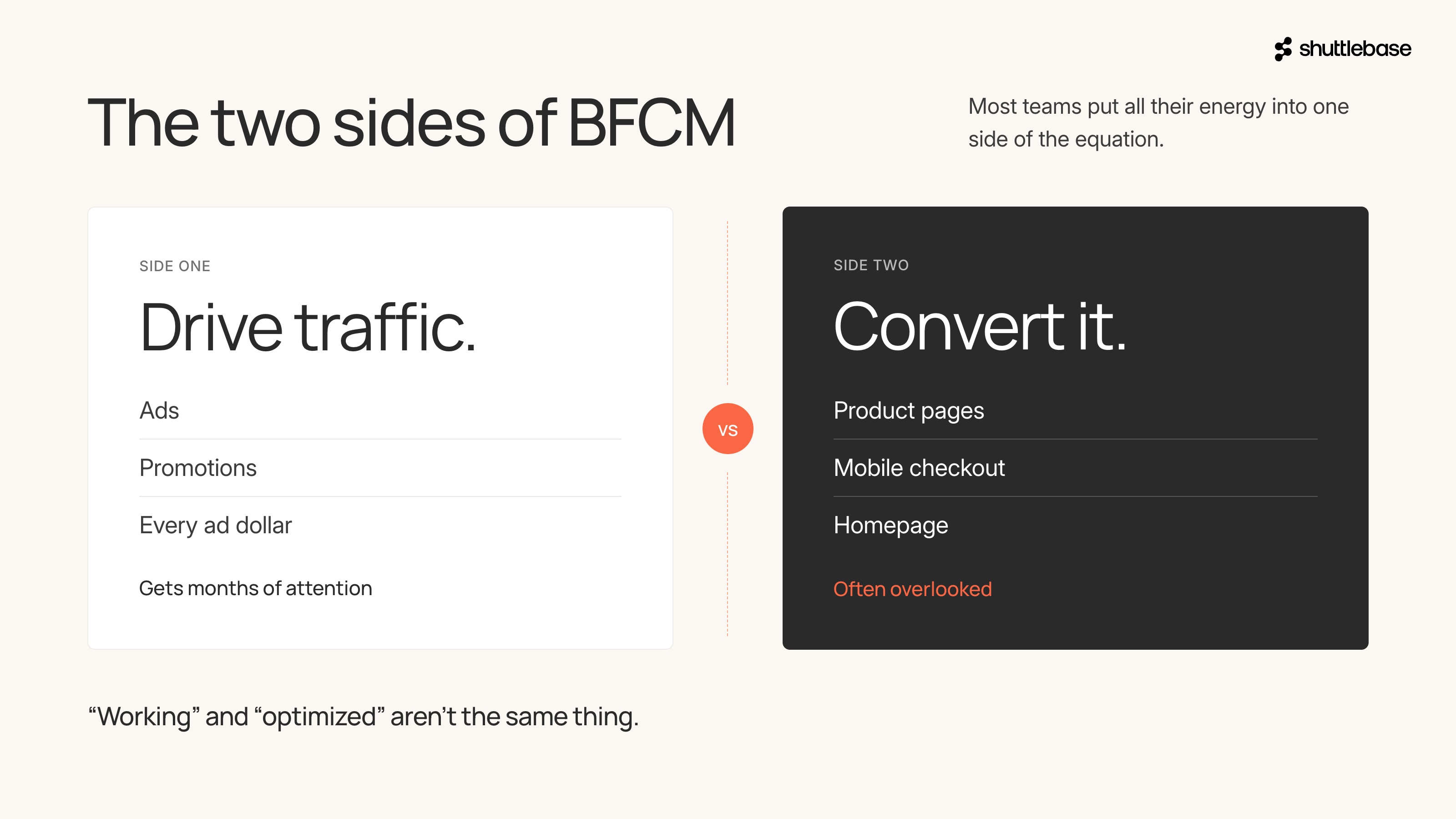
When it comes to BFCM, most eCommerce teams put all their energy into one side of the equation. Drive traffic, run promotions, and maximize every ad dollar. That side gets months of attention, but there's a second part that often gets overlooked, and it might be the bigger opportunity.
We’re, of course, talking about what happens once people get to your site. Most teams haven't had the time or resources to test whether their product pages convert as well as they could, whether the mobile checkout could be smoother, or if the homepage is pulling its weight. The site works, but “working” and “optimized” aren't the same thing.
The gap between the two is where a lot of BFCM revenue hides.
What could you be A/B testing on your eCommerce site before Black Friday?
If you spent September and the months prior running A/B tests to find what works on your site and what doesn’t, you're in good shape. You've run website optimization on real shoppers, and you already know the changes are working.
If you're still looking for ideas on what to test before the traffic spike hits, here are a few experiments we ran on live eCommerce sites that might give you some inspiration.
Side cart pop-up and checkout badge
Shoppers add to cart fast during BFCM. If the checkout button isn't obvious or there's an extra step between "add to cart" and "checkout," shoppers are more likely to stall out. This is especially true for brands with higher ticket prices.
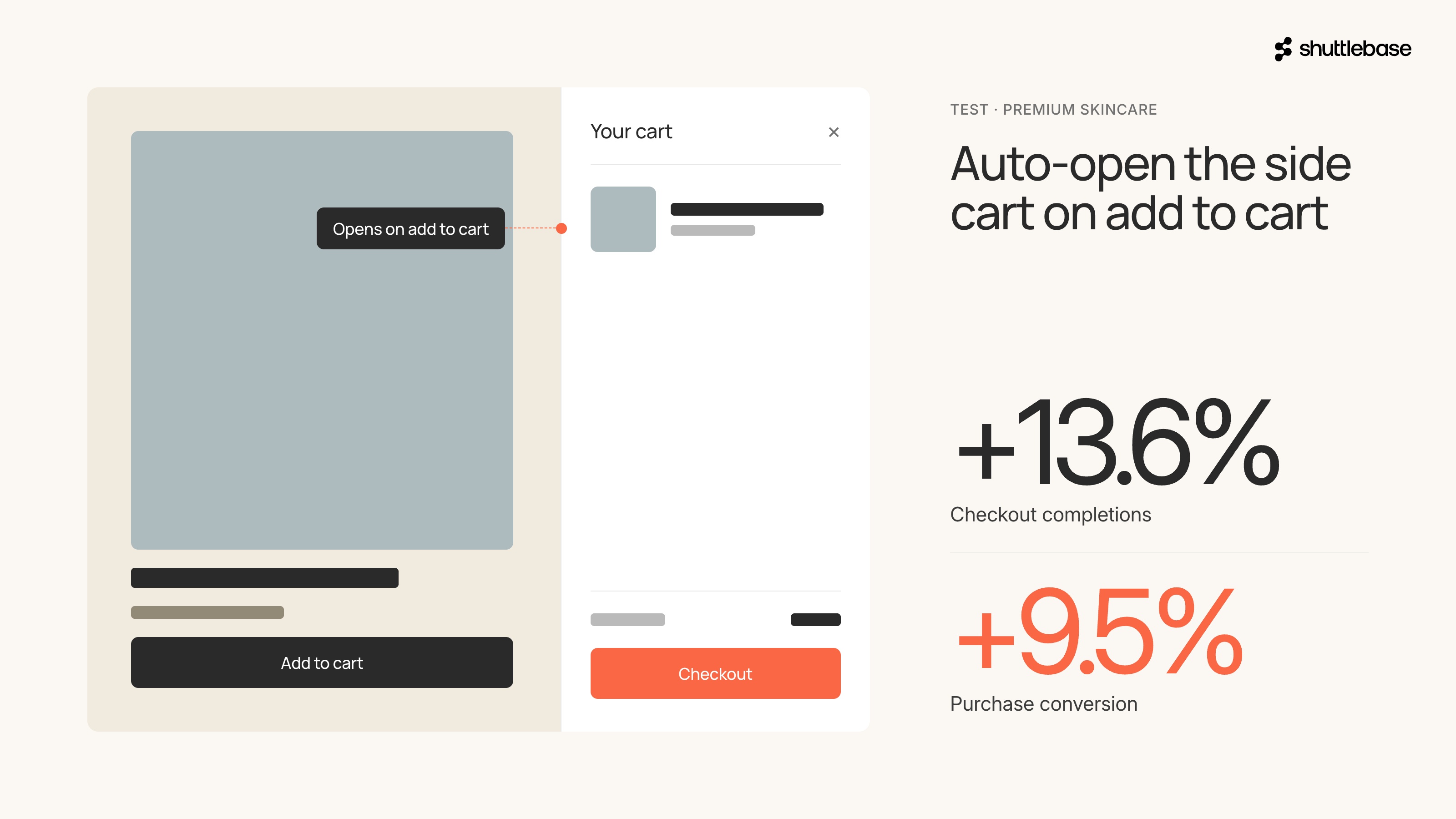
- One premium skincare brand we work with found that after shoppers added a product, they had to manually find and open the cart before they could continue to checkout. That extra step was killing momentum. They tested auto-opening the side cart on add-to-cart. With that one change, checkout completions rose 13.6%, and purchase conversion rose 9.5%.
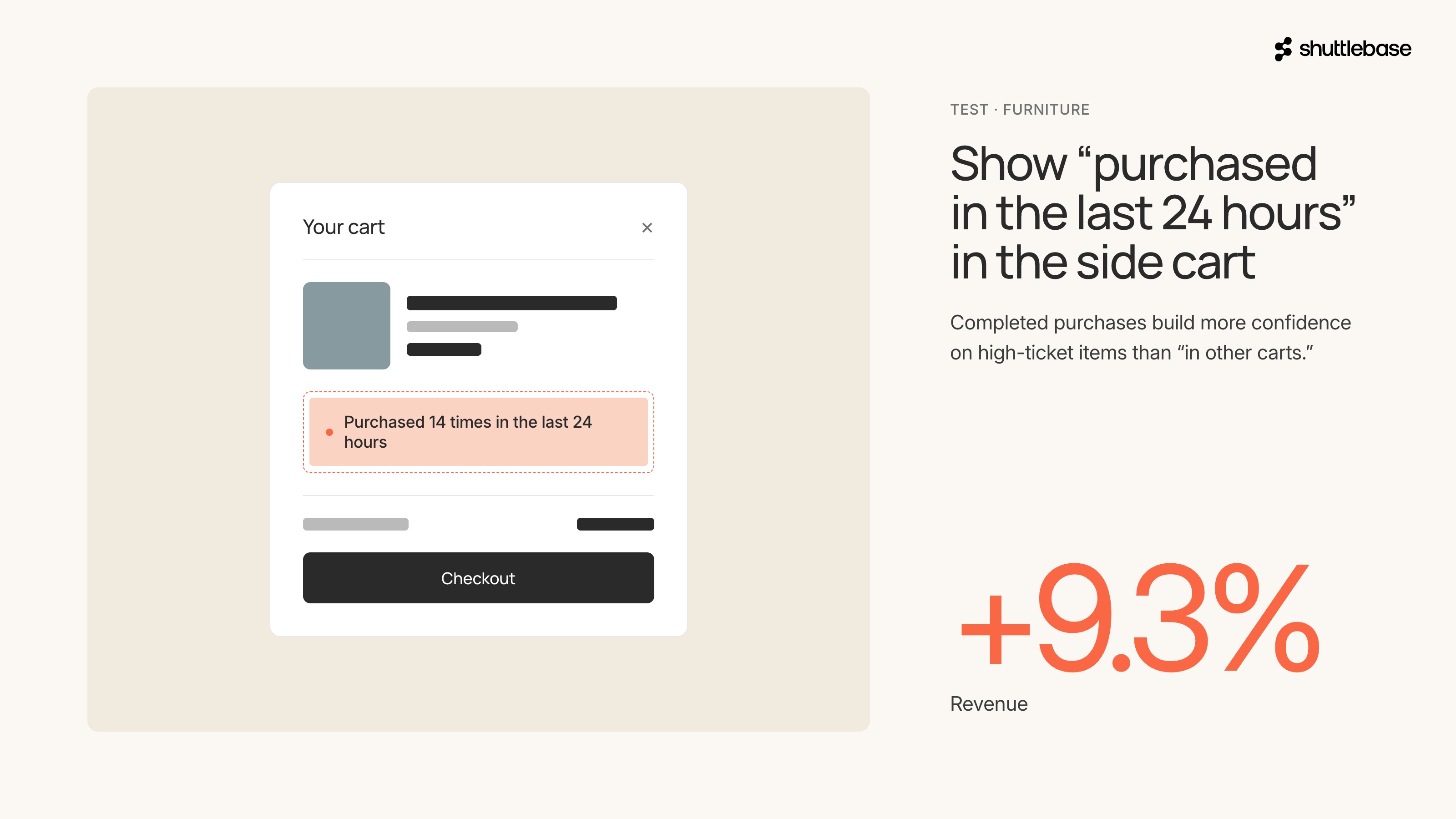
- A furniture brand had a different problem in the same spot. Shoppers were hesitating on high-ticket items right before checkout. They tested adding a "purchased in the last 24 hours" badge inside the side cart. It worked because seeing that other people actually completed the purchase built more confidence than just showing that others had the item in their cart. Revenue went up 9.3%.
If you think your site makes shoppers work to get to checkout, or leaves them with no reassurance, both of these are worth testing.
Checkout badge and star review and rating bar
BFCM brings a wave of first-time visitors that might not know your brand. If your checkout doesn't make them feel confident handing over their credit card, they'll buy the same thing somewhere they trust.
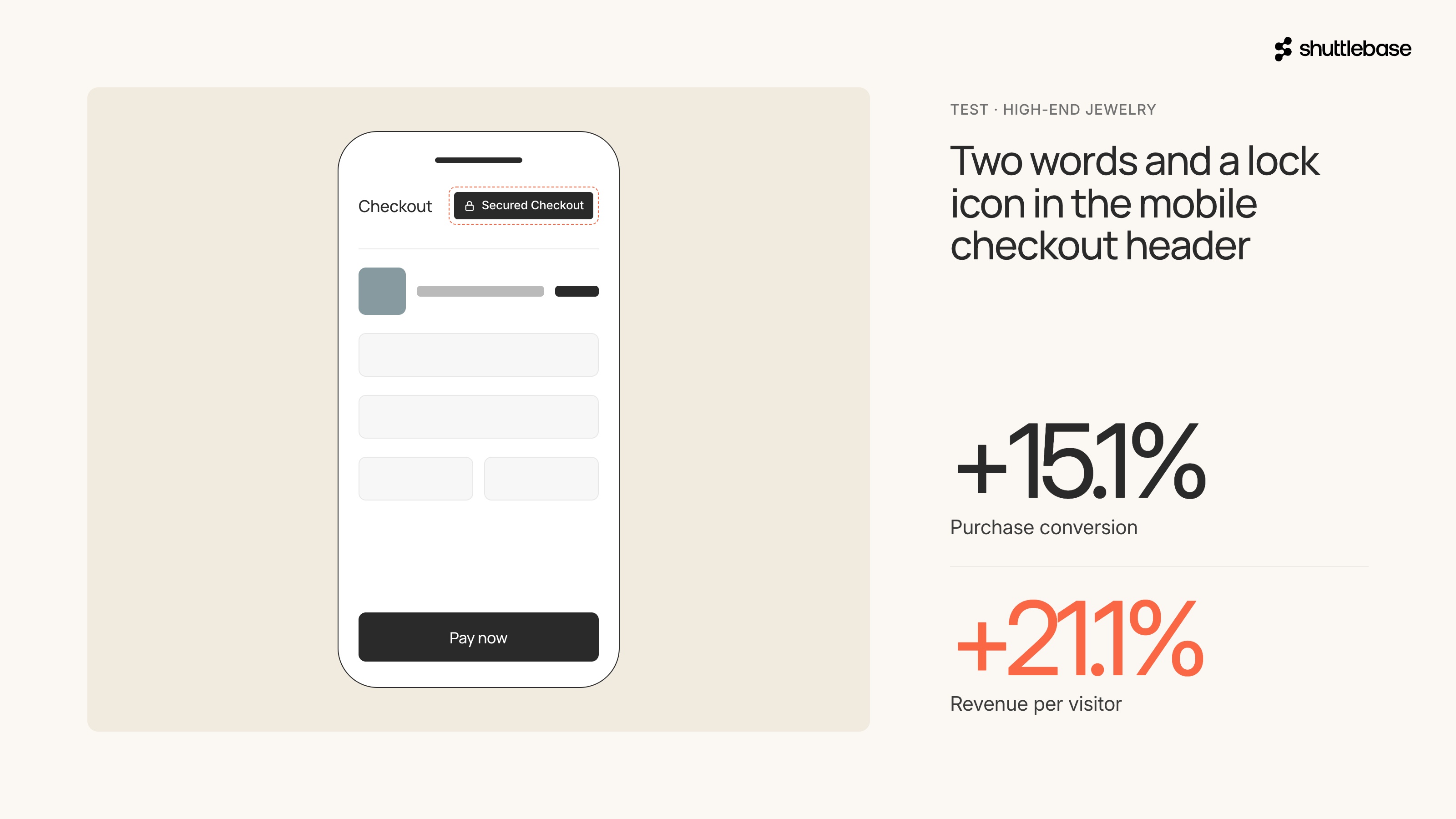
- A high-end jewelry brand found that more than 80% of shoppers who reached checkout left without completing the order. They tested adding a "Secured Checkout" badge to the mobile checkout header. Two words and a lock icon. Purchase conversion went up 15.1%, and revenue per visitor rose 21.1%. For expensive purchases on mobile, that last moment of hesitation before tapping "pay" is where the trust has to be.
- A brand selling medical devices had a different trust gap. Only 8.8% of mobile homepage visitors ever reached a product page. The homepage relied entirely on brand claims with zero social proof above the fold. They tested adding a star rating bar with verified review counts right below the hero. Add-to-cart clicks rose 26.7%, checkout visits went up 17%, and revenue per visitor lifted 20.3%. The reviews were already there; they just weren't visible where they mattered.
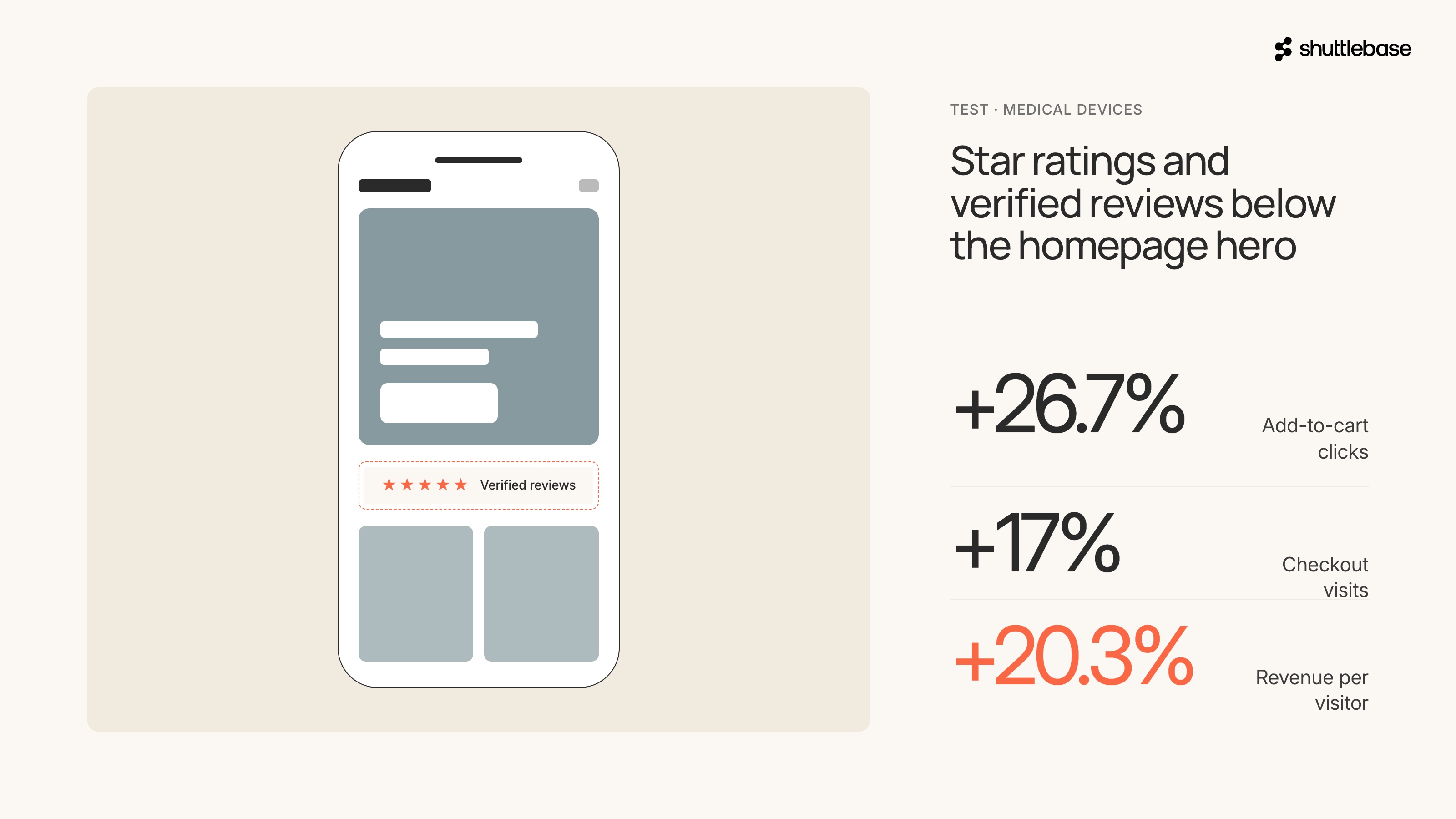
If your site sells anything where trust is part of the purchase decision, and during BFCM that's almost everything, these are the kind of signals worth testing before the traffic spike.
All these tests are really small changes. A side cart that opens on its own, a badge with two words on it, a button that loads more products instead of reloading the page. None of them are full page redesigns.
The friction that costs you the most during BFCM isn't some massive broken experience. It's the tiny moments where a shopper pauses or doesn't feel confident enough to complete their purchase.
Why is BFCM traffic so valuable for eCommerce optimization?
BFCM traffic is the highest-intent, highest-volume traffic your site will see for twelve months. The way shoppers behave during those days tells you more about your funnel than any other period of the year. Where they drop off, what they skip, where they hesitate, what finally makes them buy.
That data is unrepeatable. Think about what you're losing if you're not tracking it. Hundreds of thousands of visitors moving through your site over a few days, showing you exactly where the friction is.
The work to capture that data has to happen before BFCM. Setting up analytics, session recording, event tracking, and tagging the pages that matter. Once BFCM is over, the traffic that would have shown you the problems is gone.
When should you start testing after BFCM?
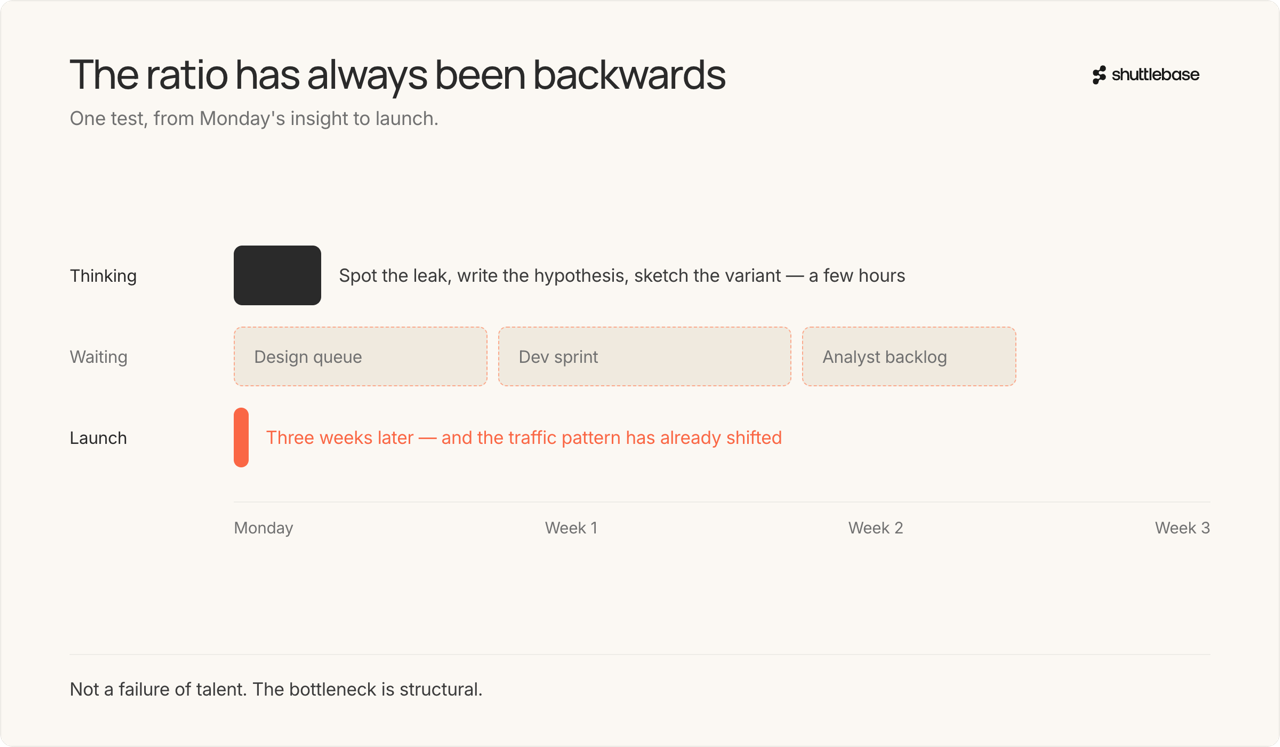
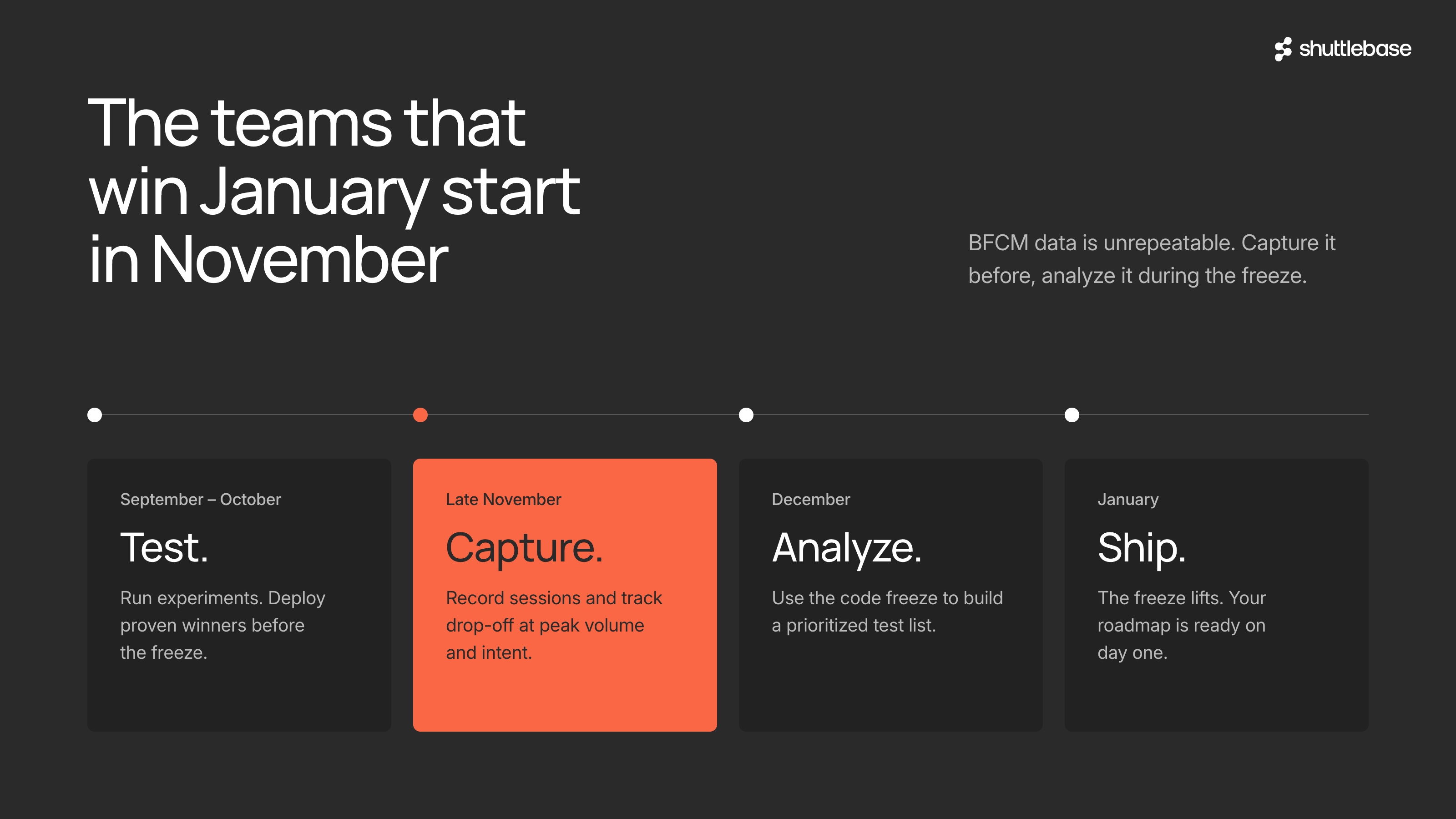
If your team runs a code freeze, you probably unfreeze somewhere between late December and mid-January. That's when the window opens to test new, exciting ideas on your live site. Your team comes back from the holidays, Q1 priorities start competing for attention, and suddenly you're two weeks into January wondering where the time went.
The teams that hit the ground running are the ones who did the work during the freeze. They spent the quiet weeks in December pouring over BFCM data and figuring out what it was telling them. Which pages had the highest drop-off, where mobile shoppers got stuck, and what part of the checkout lost the most people. By the time January rolls around, they're not sitting in a meeting debating what to test; they already have a list ready to go.
The teams that didn't capture or analyze the data are starting from scratch. They're guessing at what to fix, running the same experiments they would have run without BFCM ever happening. The holiday traffic came and went, and they weren’t able to learn anything from it.
BFCM data capture and January readiness checklist
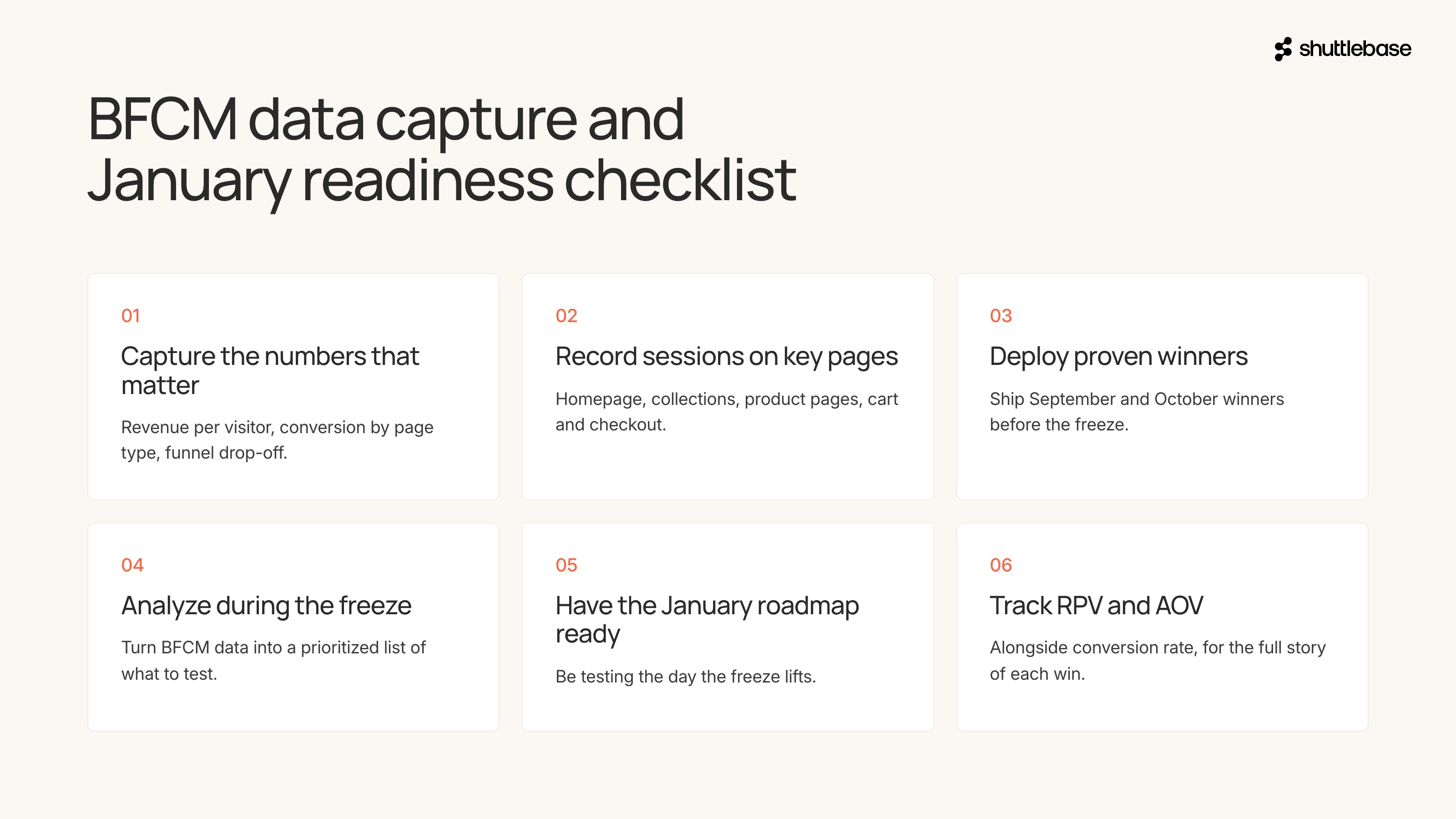
If you walk away with one thing, make it this.
- Make sure your analytics capture what matters: revenue per visitor, conversion rate by page type, drop-off points in the funnel. Know the numbers before the traffic hits.
- Set up session recording and event tracking on your highest-traffic pages: homepage, collection pages, product pages, cart, checkout. If you can't watch what BFCM shoppers actually do, you can't learn from it.
- If you have proven winners from testing in September and October, deploy them before the freeze.
- During the freeze, analyze. Use the BFCM data to build a prioritized list of what to test in January. Where did shoppers drop off? Which pages underperformed? What friction points showed up at high volume that were invisible before?
- Have your January testing roadmap ready before the freeze lifts. The window opens fast, and the most prepared teams will compound gains while everyone else is still figuring out where to start.
- Track revenue per visitor and average order value alongside conversion rate. They tell you the full story of what each improvement is actually worth.
If you're reading that checklist thinking "we're not going to get to most of this," that's fair. Most teams won't. BFCM is already a sprint, and adding a data capture project on top of it isn't realistic for a lean team.
That's the problem Shuttlebase solves. Our AI watches how shoppers move through your site during BFCM (and the rest of the year), captures the data automatically, and builds a prioritized testing roadmap.
Click here to learn more about how Shuttlebase works, or reach out to see how we can help prepare you for BFCM and after