.jpg)
Share this article:
What Are Core Web Vitals?
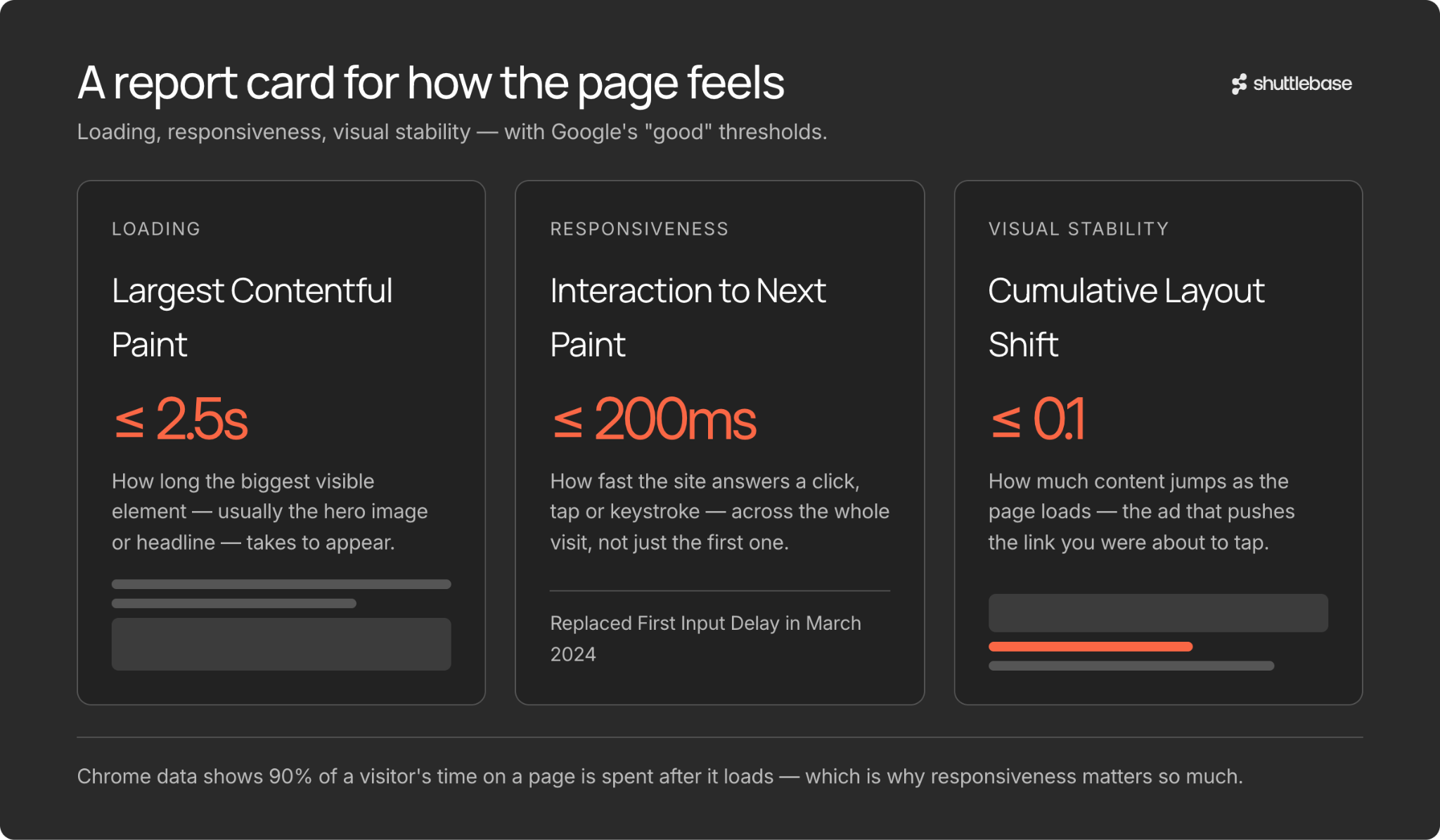
Google measures website performance using three metrics called Core Web Vitals. Think of them as a report card for how your site feels to a real person. Here is what each one measures:
Largest Contentful Paint (LCP) tracks how long it takes for the biggest visible element on your page - usually a hero image or headline - to fully appear. Google considers 2.5 seconds or faster to be "good." Anything slower means visitors are staring at a half-loaded page.
Interaction to Next Paint (INP) measures how quickly your site responds when someone clicks a button, taps a link, or types in a field. A good score is 200 milliseconds or less. INP replaced the older First Input Delay (FID) metric in March 2024 because it captures responsiveness across the entire visit, not just the first click. Chrome usage data shows that 90 percent of a user's time on a page is spent after it loads, which is exactly why ongoing responsiveness matters so much.
Cumulative Layout Shift (CLS) measures how much the page content jumps around as it loads. You have probably experienced this: you go to tap a link, and an ad loads above it, pushing the link down so you tap the wrong thing. A good CLS score is 0.1 or lower.
The Most Popular Page Speed Testing Tools
You do not need to be a developer to check your site speed. Several free and low-cost tools make it easy. Here are the ones worth knowing about.
Google PageSpeed Insights
This is Google's own free tool. You paste in any web address and it gives you a score from 0 to 100 for both mobile and desktop, along with your Core Web Vitals. It also provides specific suggestions for improvement. Because it uses real-world data from Chrome users, the results reflect what actual visitors experience - not just a lab simulation.
Lighthouse
Lighthouse is the engine that powers PageSpeed Insights, but you can also run it directly in the Chrome browser. Open Chrome's developer tools, click the Lighthouse tab, and run an audit. It scores your page on performance, accessibility, best practices, and SEO. Lighthouse is especially useful for developers who want detailed diagnostics, but the top-level scores are easy for anyone to read.
Common Reasons Websites Load Slowly
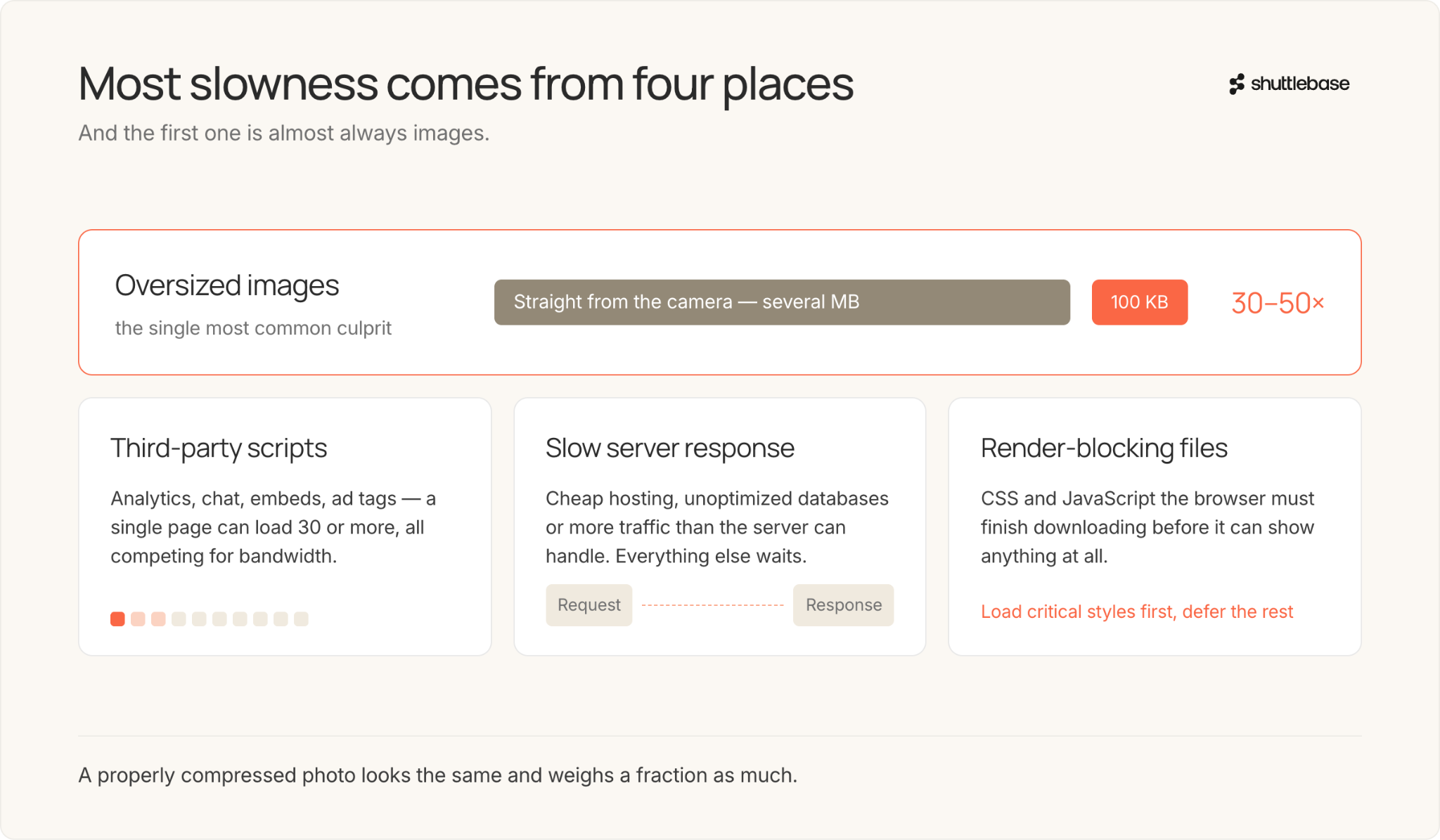
Most speed problems fall into a handful of categories. Oversized images are the single most common culprit. A photograph uploaded straight from a camera can be several megabytes, when a properly compressed version might be 100 kilobytes - roughly 30 to 50 times smaller - with no visible quality loss.
Every analytics tracker, chat widget, social media embed, and advertising tag adds another file your visitor's browser must download and process. A single page can load 30 or more third-party scripts. Each one competes for bandwidth and processing power.
Another frequent issue is slow server response time. If the server that hosts your website takes too long to respond to a request, everything else is delayed. This can be caused by cheap hosting, unoptimized databases, or simply too much traffic for the server to handle.
Render-blocking resources - CSS stylesheets and JavaScript files that the browser must fully download before it can show anything - are a fourth common problem. Modern best practice is to load only the critical styles upfront and defer everything else.
What Is A/B Testing?
A/B testing compares two versions of a webpage to see which performs better. You split your traffic so that half of your visitors see version A (the original) and the other half see version B (the variation). Then you measure a specific outcome - sign-ups, purchases, clicks on a button - to determine which version wins.
The concept is simple, but the execution matters. You need enough visitors to reach statistical significance, meaning the result is unlikely to be due to random chance. You also need to test one change at a time, or you will not know which change caused the difference. Running a test for too short a period can produce misleading results.
Best Practices: Running Tests Without Killing Your Speed
You do not have to choose between testing and performance. These guidelines will help you to get the best of both.
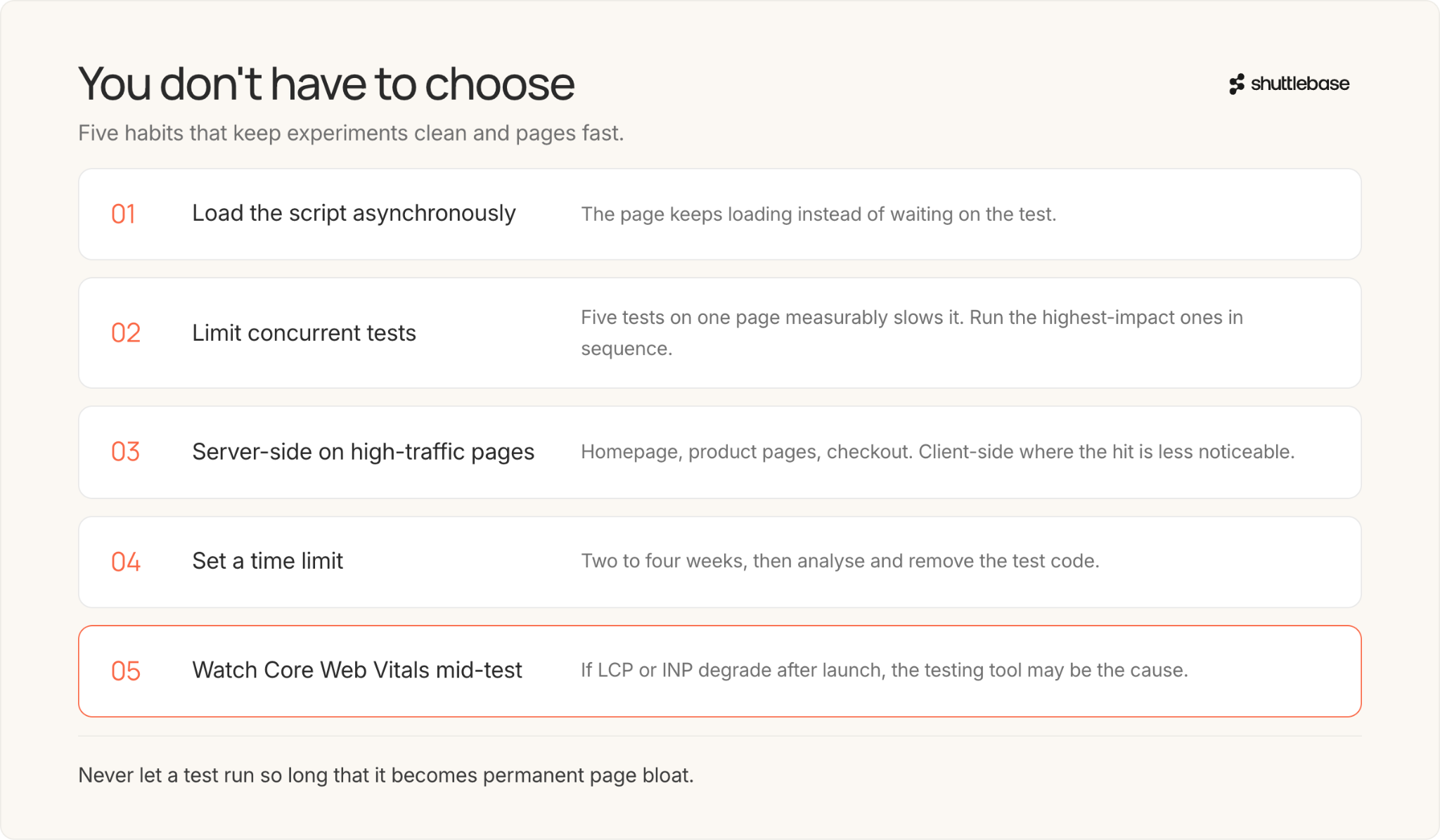
Load the testing script asynchronously when possible. This lets the rest of your page keep loading while the testing tool does its work, rather than making everything wait for the test script.
Choose your testing tool carefully. Make sure you understand your tool’s impact on site speed and whether it affects your CLS score. If you're considering new testing providers, ask about page and site speed and align on the tradeoffs.
Once a test wins, implement it in the codebase. Hosting winning changes in the testing tool indefinitely can bloat the data size and slow things down. Once you know a test is a winner, export the code and add it to your server-side code.
Set a time limit for every test. Tests that run indefinitely accumulate technical clutter. Decide on a maximum duration - two to four weeks is common - and commit to analyzing results and removing the test code when that window closes.
Monitor your Core Web Vitals while tests are running. If you see LCP or INP scores degrade after launching a test, the testing tool itself may be the cause. Tools like Google PageSpeed Insights and the Chrome User Experience Report can help you spot this.
Bringing It All Together
A fast site gives visitors the patience to engage with your content, and A/B testing tells you which content deserves their attention. The key is to measure your speed, use the right testing approach for each situation, and never let a test run so long that it becomes permanent page bloat.
Start with a baseline. Run your site through PageSpeed Insights and note your Core Web Vitals scores. Then, when you launch your next A/B test, check those scores again. If they drop, investigate whether the testing tool caused it. Over time, this habit of measuring both speed and test impact will keep your site fast, your experiments clean, and your visitors happy.
Want a system that runs the entire testing process for you where you don’t have to worry about site page speed? Let’s talk! Book a demo.
.jpg)
.jpg)
.jpg)