Summary
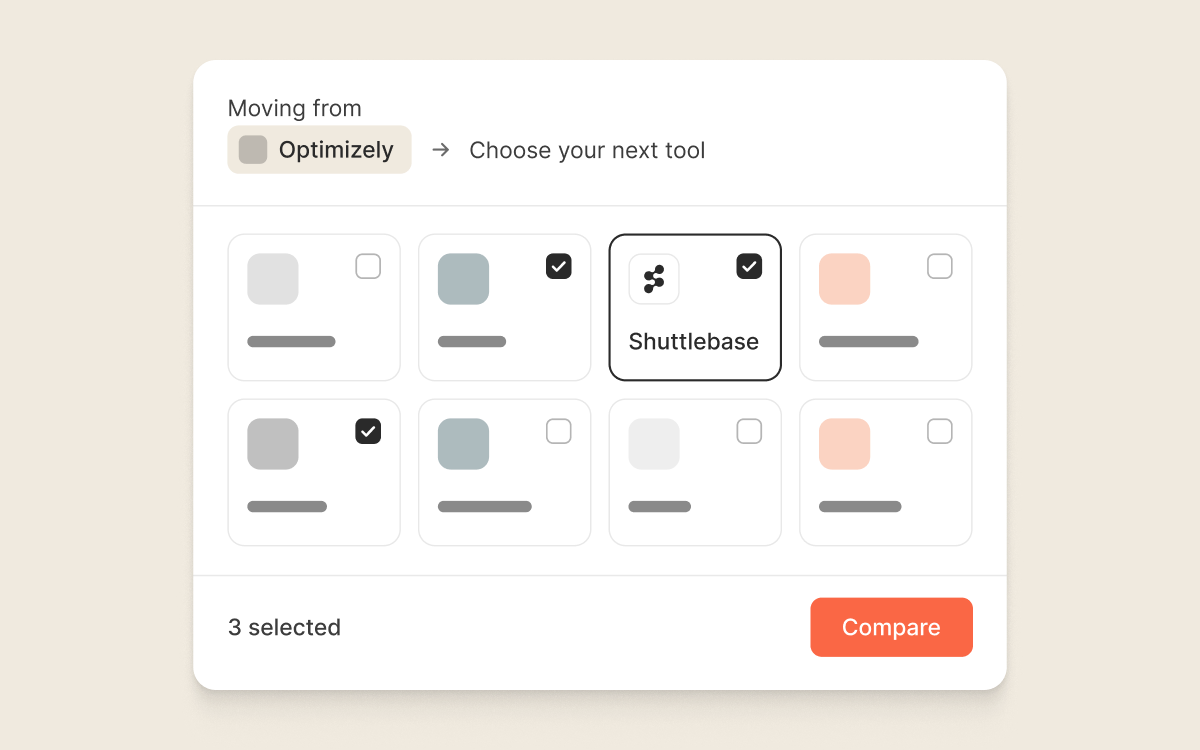
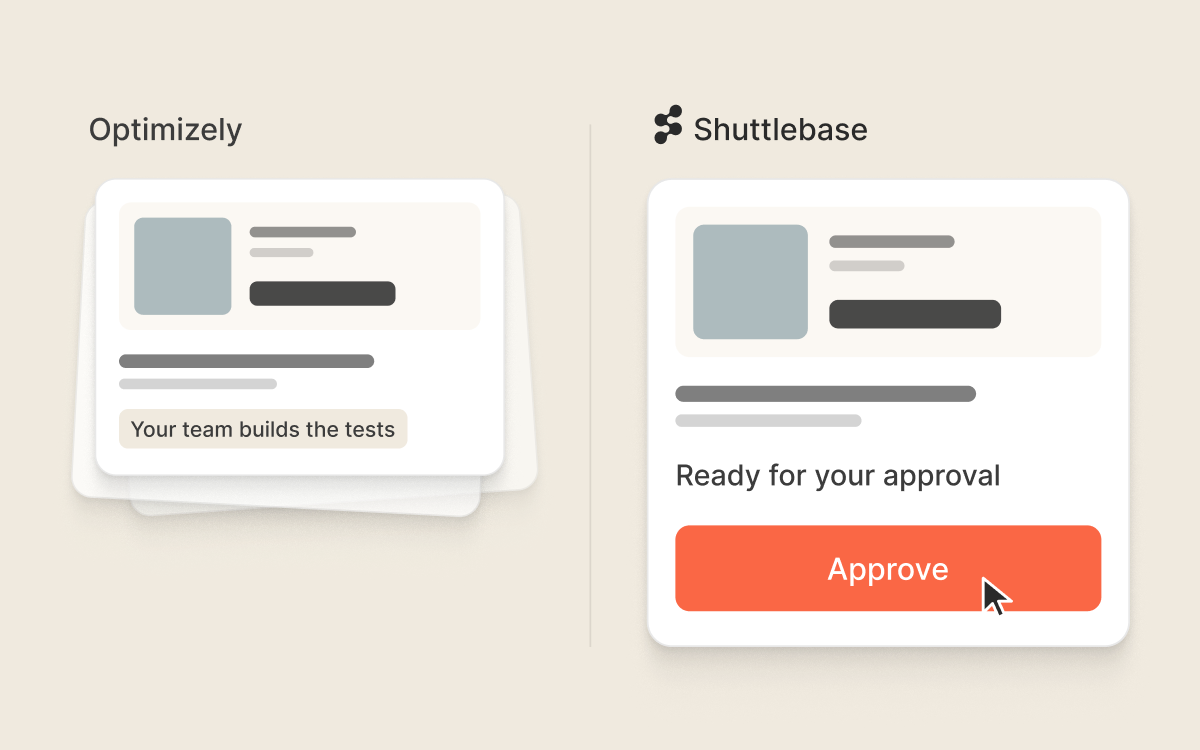
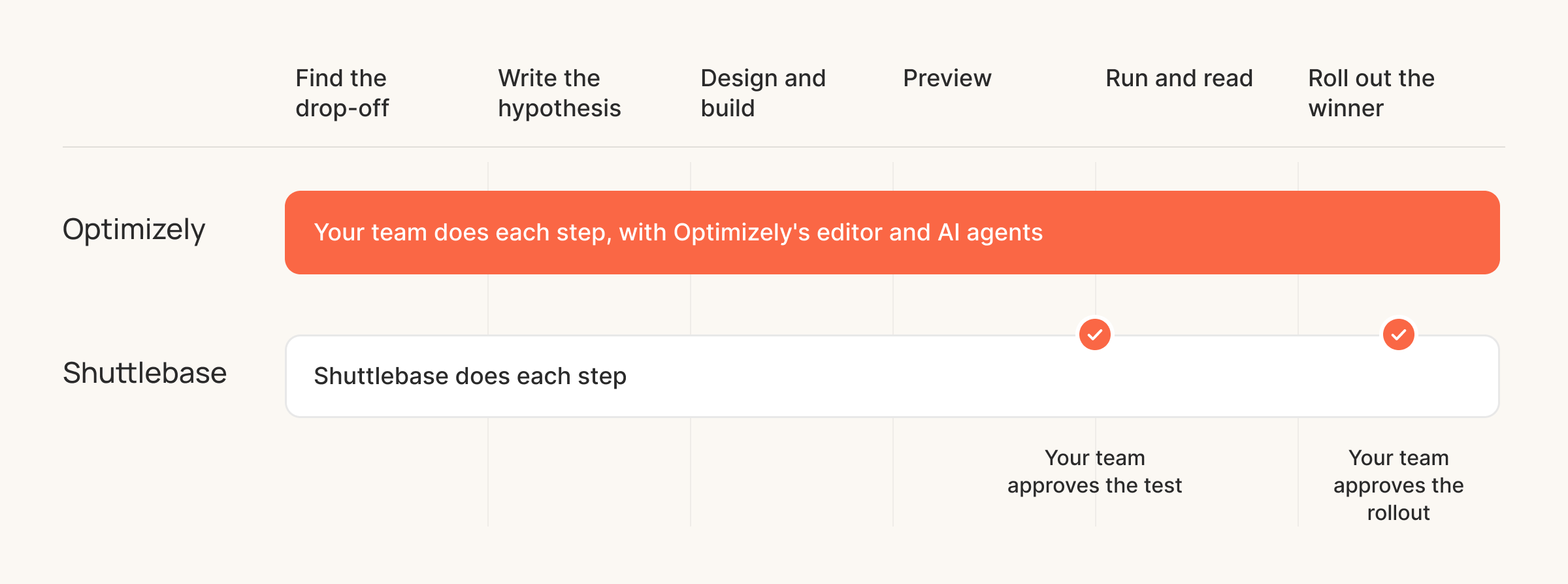
- This article compares Optimizely and Shuttlebase on who will design, run and analyze your tests. With Optimizely, your own team does the work, using its editor and AI agents. With Shuttlebase, Shuttlebase does it, and your team approves each test.
- Shuttlebase is a full-cycle conversion rate optimization (CRO) platform: it recommends, builds and runs A/B tests, optimizing for revenue per visitor, not just conversions. Your team needs no design or development resources, and the median client's first winning test comes 26 days after its first test goes live.
- The median active Shuttlebase client starts 6 tests a month, and nothing goes live without your approval, which takes a couple of minutes a week.
- If your developers run server-side tests or release features behind feature flags, Optimizely may be the stronger choice.
If your team on Optimizely has more test ideas than bandwidth to build and run them, opportunity is slipping away. Every week a test that could win waits in a queue is a week it isn't earning, and an idea built for a season, a campaign or today's page can miss its window. With Shuttlebase, an AI conversion rate optimization (CRO) platform for e-commerce brands, your team's bandwidth is no longer the limit. Shuttlebase comes up with tests, builds them and analyzes the results for you, so your best ideas keep running, with no designers or developers on your end.
The short answer
Choose Optimizely if
- Your developers test features in your own code, with server-side testing.
- Your product team releases code behind feature flags (switches that turn a feature on for some users).
- Your team wants to build its own tests in a visual editor.
- You want testing in the same suite as your content management and commerce.
Choose Shuttlebase if
- Your tests wait for a designer or a developer.
- You want store tests recommended, built and run for you, approving each one.
- You care more about revenue per visitor than conversion rate alone.
- Your store runs on Shopify, Salesforce Commerce Cloud, BigCommerce, Magento, WooCommerce, headless or a custom build.
- 6 tests a month for the median active client, Shuttlebase client data.
- 26 days to the first win for the median client, counted from the first live test, 12 at the fastest. Shuttlebase client data.
- 35% of tests win on average. Clients report about 13% before Shuttlebase.
Optimizely and Shuttlebase side by side
| Decision factor | Optimizely | Shuttlebase | Choose based on |
|---|---|---|---|
| Best feature | Web, server-side and feature testing in one suite, for marketers and developers | Fast test velocity (6 tests a month), tests ranked by revenue impact. AI that designs, builds and ships tests (with your approval) | Breadth of testing or speed of store tests |
| Who comes up with test ideas | Your team, with AI that knows your whole program | Shuttlebase, from your store's data and other stores' tests, each with a hypothesis. Your team can add its own | Who has time to come up with tests |
| Who builds the tests | Your team, with a visual editor, server-side control and AI agents | Shuttlebase, launched with one click once your team approves | Team hours free each week |
| What can be tested | A/B, multi-page, feature and server-side testing, plus multivariate tests and bandits | Store pages, plus landing pages, personalization and product recommendations | Whether tests must run in server code |
| What a test optimizes | Business outcomes the team picks and tracks | Revenue per visitor by default, or a metric you pick, agreed before launch | Whether order value matters as much as conversion |
| Approval | Its November incident report lists approval before custom code goes live as a requested feature | Nothing goes live without your approval, winner rollouts included by default | Who signs off |
| Time to a live test | No-code experiments in minutes once the team builds them | First tests can go live within 72 hours of install. After that, minutes once a launch slot is free | How soon you want tests live |
| Reading results | Proprietary Stats Engine | Shows the probability that a new version beats the original. Very large orders are capped so one order can't swing a result | Which statistics your team trusts |
| Platforms | A snippet of code on your site, plus a Shopify connector built by Shopify | One snippet of code on Shopify, Salesforce Commerce Cloud, BigCommerce, Magento, WooCommerce, headless and custom builds | Which platform your store runs on |
| Beyond testing | Content management, commerce, data and personalization | Landing pages, personalization, product recommendations | One suite or a focused tool |
| Flicker (the original page flashing before the test version) | No flicker for feature flags. Web tests load the snippet synchronously to prevent flickering | No flash of the original page, done without hiding the page | Whether shoppers see the page change |
| Other apps on the page | Not stated on its pages | Works alongside reviews, pop-ups and cart drawers (Yotpo, Klaviyo, Rebuy) without breaking them | Which apps your store relies on |
| Tests at the same time | Mutual exclusions keep experiments from overlapping | A current store map, so tests rarely break and more can run at once | How many tests you want live |
| Security | More than one security incident in 2026, the latest in November, closed the same day | SOC 2 Type 2, no personal data, every change automatically reviewed | Who can change the code on your pages |
The Optimizely facts come from its own pages and third-party reports, read 6 to 20 November 2026.
Who designs, runs and analyzes the tests
With Optimizely, your team runs the testing, and Optimizely's AI helps it plan and run each test. Optimizely also offers AI agents it calls Virtual Teammates. One, a CRO Manager, "Plans, runs, and reports on every experiment. All of it." Even so, Optimizely still needs a team to implement. TrustRadius's summary says reviewers praise its user-friendliness, and some point to "technical complexity of implementation, often requiring significant custom coding and developer involvement".
Shuttlebase runs the full cycle. It studies how visitors behave on your site and what tests have shown across tens of thousands of other stores. Its test ideas also draw on what comparable stores are testing right now and on past tests for brands like yours, and it can show where each idea came from. Ideas draw on test results, never on another client's data. Then it ranks tests by how likely they are to win and how much revenue they could add.
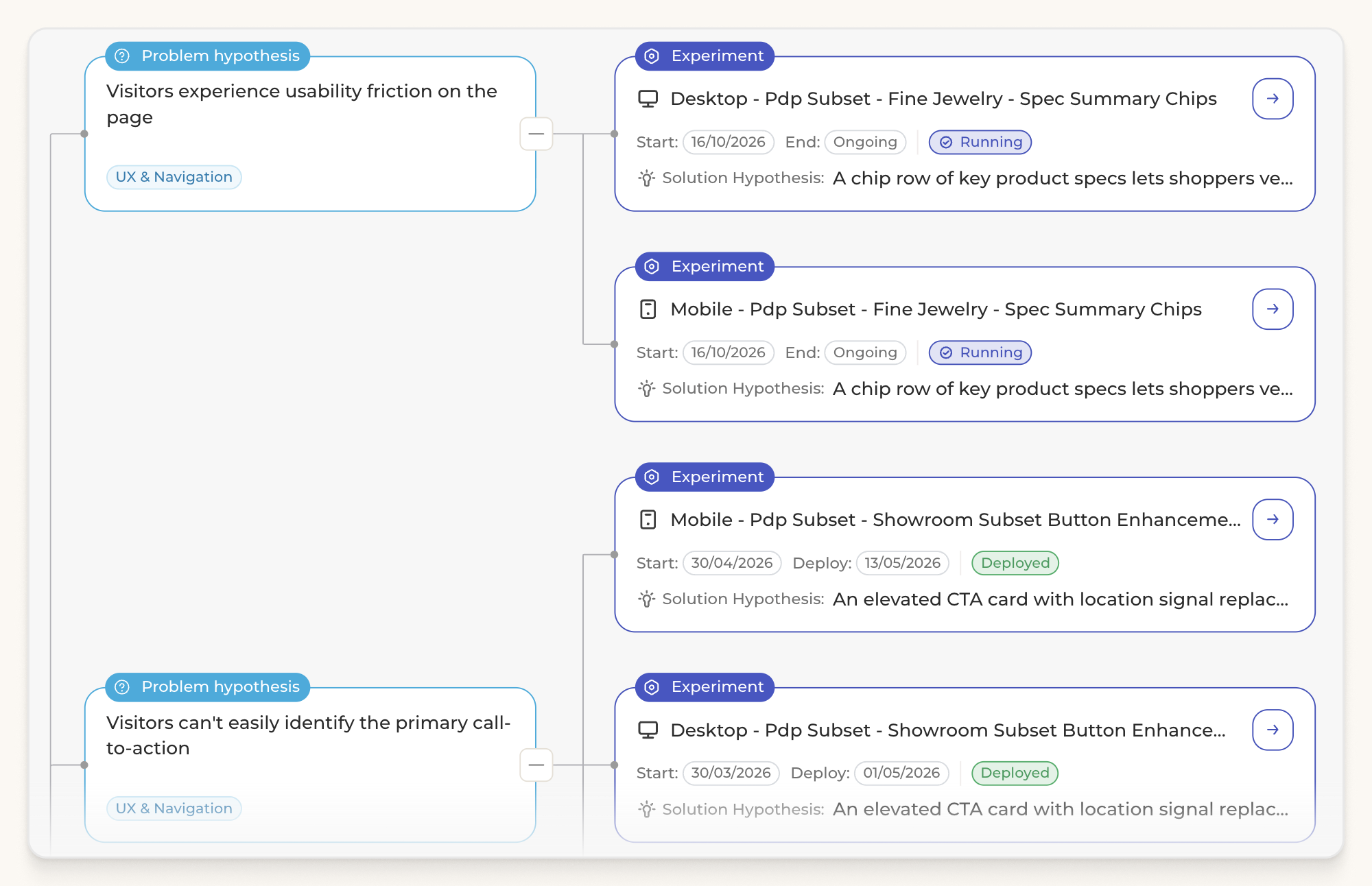
It builds each test, with design, copy and code in your brand's style, and writes down why Shuttlebase expects it to win. It also builds test ideas your team brings. Your team picks the tests to run and launches each with one click. A store typically runs 4 to 8 tests at once, and some run as many as 50. What sets Shuttlebase apart is that it handles both strategy and execution, from proposing tests that are most likely to generate revenue uplift to building and deploying them, always with your team's approval.
What each one optimizes for
Shuttlebase optimizes for revenue per visitor: total revenue divided by visitors. Conversion rate alone can mislead, because a change that gets more people to buy can also shrink the average order. Each test's metric is agreed before launch, and you can pick another, such as newsletter sign-ups.
Why revenue per visitor, not profit per visitor? Profit per visitor subtracts what each order costs to make, ship and pack, so it is only as reliable as your cost data, and most stores don't track all of it. That is why Shuttlebase recommends revenue per visitor, which every store can measure from the data it already has.
Optimizely says it can tie every experiment to business outcomes, but your team chooses the outcome and sets up its tracking.
| Version (10,000 visitors each) | Conversion rate | Average order value | Revenue per visitor |
|---|---|---|---|
| Original | 2.0% | $100 | $2.00 |
| Variant | 2.3% | $80 | $1.84 |
Illustrative numbers, not client data. The variant wins on conversion and loses on revenue per visitor.
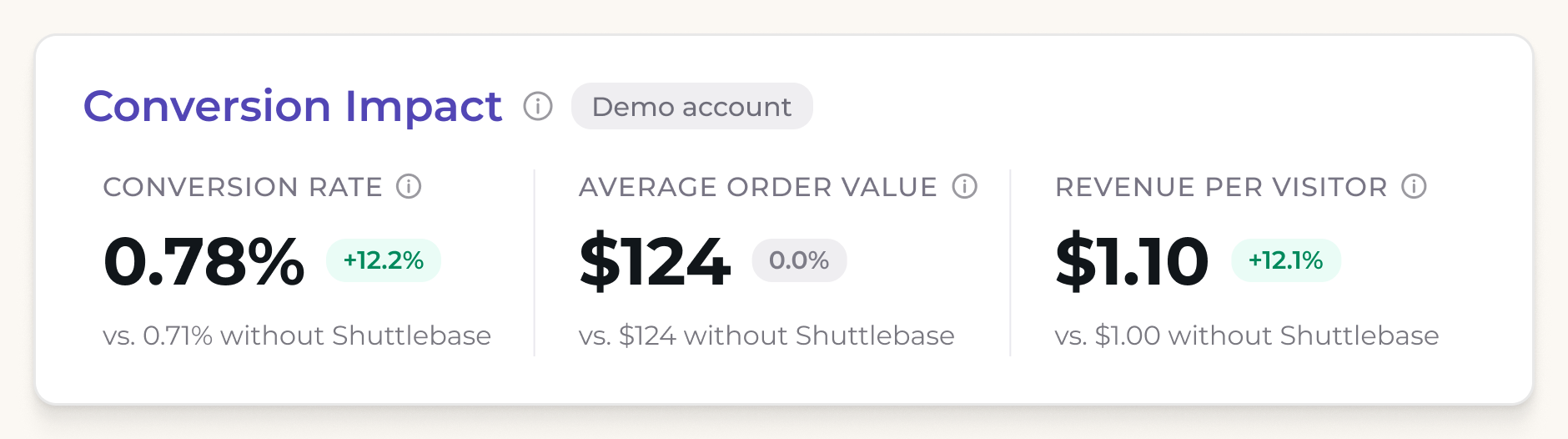
conversion but lowers revenue.
What happens when the store changes
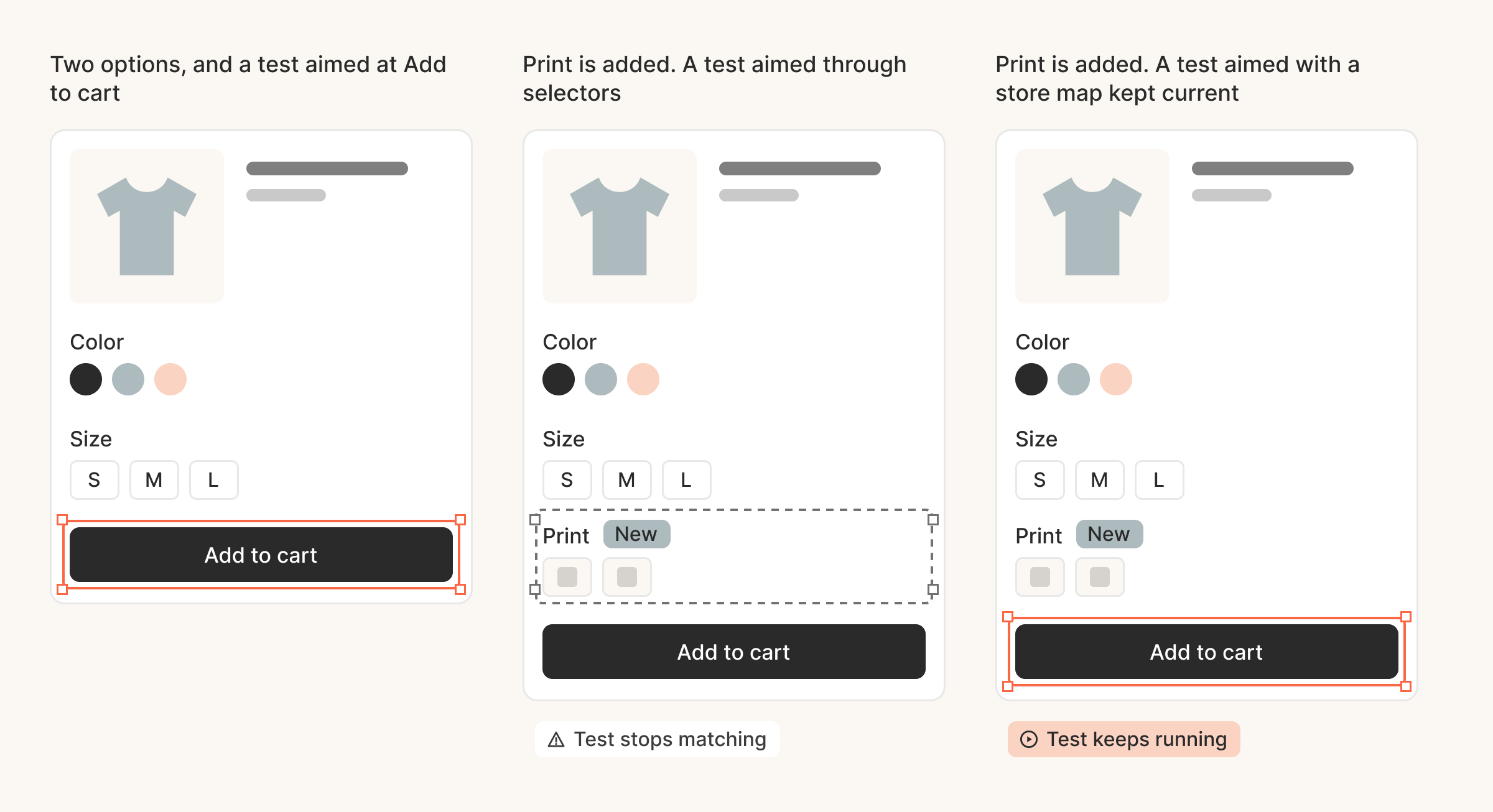
When your site changes, tests aimed at the old layout can break. Shuttlebase keeps a current map of your store, so its tests rarely break.
Say your T-shirts have two options, color and size, until a new line arrives with a third, print. A test aimed at the old layout can stop matching. Testing tools find what they change through selectors (code references to a button or a block of text), and Optimizely's own documentation says this targeting "breaks easily if the structure changes". When a new template or product layout ships, a test can stop showing without warning until someone notices and fixes it.
Shuttlebase maps your store's structure when you start, and its tools, agents and people keep that map current. A new product, changed code or new URLs rarely break targeting or tests. As a result, a store can run more of them at once. Tests also work alongside other apps such as Yotpo reviews and Klaviyo pop-ups, and can change elements those apps add.
Security and approval before anything goes live
Optimizely has had more than one security incident this year. In November 2026, malicious code reached the sites of hundreds of its customers, and Optimizely closed the flaw the same day.
Shuttlebase's code also runs on your store, so ask it the same two questions as any testing vendor:
Shuttlebase's answers: nothing goes live without your approval, winner rollouts included by default, and only the people you permit can approve. Every change is automatically reviewed to keep anything harmful off the site. Security tests run from independent infrastructure, and the code on your store is checked continuously. Shuttlebase is SOC 2 Type 2 compliant and collects no personal data.

Results from Shuttlebase clients
Larroudé. More than 40 tests within a year, 7% more conversion in less than 4 months and 10% more revenue per visitor. Before Shuttlebase, a single test needed design and development time and could take weeks.
DefenAge. 14% more conversion, 14% higher average order value and 30% more revenue per visitor, and $600,000 in revenue uplift over 12 months from the tests Shuttlebase ran.
How to run both side by side
- Start with a free audit. Shuttlebase proposes the first tests for your store, each with its hypothesis, before you commit. Then add its one snippet of code to your site, with no product feed or API, on pages Optimizely doesn't test. Your first tests can be live within 72 hours of install.
- Approve each test from its preview email, on desktop or on your phone from its QR code, in a couple of minutes a week.
- Read each result against the metric agreed before it went live. Keep winners live or export their code into the theme, then decide which pages each tool keeps.
When Optimizely is the better choice
Optimizely may be the stronger choice for:
- Server-side and feature tests that run in your own code before the page reaches the browser.
- Feature flags changed at runtime, and product teams that release code behind them.
- Teams that build their own tests in a visual editor, including multivariate tests and bandits (tests that shift traffic toward the better version while they run).
Shuttlebase also covers the standard features, such as targeting, results by segment, funnel tracking and no flicker, so these don't decide between the two.
Common questions
We use Optimizely, but every test still goes to engineering. Can we test without dev resources?
Yes. Shuttlebase designs and builds each test, and your team approves it, with no developer ticket or release cycle in between. The one piece of code work is adding Shuttlebase's snippet to your site once, at install.
Can you run Shuttlebase and Optimizely together?
Yes. Keep server-side tests and feature flags in Optimizely, and run Shuttlebase's tests on the pages customers see, with each tool on its own pages. If your team has build hours to spare, it can also rebuild Shuttlebase's ideas in Optimizely's visual editor.
Can Optimizely's metrics decide a test built in Shuttlebase?
No. Shuttlebase measures its own tests with its first-party snippet, not Optimizely's Stats Engine. To have Optimizely decide, your team builds the idea in Optimizely's editor and measures it there.
Can we use a testing tool on our site without having to rebuild the entire templates if we leave it?
Yes, if it runs from a snippet of code and exports winning code. Shuttlebase's winners can go into your own theme and stay after Shuttlebase is removed.
Does Shuttlebase work if your store is not on Shopify?
Yes. Shuttlebase works on Shopify, Salesforce Commerce Cloud, BigCommerce, Magento, WooCommerce, headless and custom-built stores, through one snippet of code added to the site.
Which one fits
- Optimizely is well suited if you test across your website, servers and product features, with developers and analysts who build tests every week.
- Shuttlebase is well suited if you want store tests recommended, built and run for you, each approved by your team and aimed at revenue per visitor.
- Neither may fit yet if you get fewer than 200 orders a month: tests take too long to reach a result. Look at Shopify Rollouts, whose A/B tests come with Shopify's Grow plan or higher.
- Use both if you need server-side tests or feature flags in Optimizely and want to test your store continuously, but your team doesn't have the bandwidth to run those tests too.
About this comparison. Shuttlebase publishes this page and works to keep it accurate and current. Everything it says about Optimizely comes from Optimizely's own public pages, documentation and incident reports, TrustRadius reviews and published security research, read between 6 and 20 November 2026, as dated below. The page is reviewed every quarter and after major news. If anything here is out of date or inaccurate, contact Shuttlebase at shuttlebase.com/contact and it will be corrected.
Sources
- "Shuttlebase: AI conversion rate optimization for e-commerce", Shuttlebase, https://shuttlebase.com/ (read 2026-11-19)
- "Agentic Experimentation", Optimizely, https://www.optimizely.com/products/experimentation (read 2026-11-18)
- "Plans & pricing", Optimizely, https://www.optimizely.com/plans/ (read 2026-11-18)
- "Load snippet synchronously and asynchronously", Optimizely, https://docs.optimizely.com/web-experimentation/docs/load-snippet-synchronously-and-asynchronously (read 2026-11-06)
- "Rollouts: requirements and considerations", Shopify Help Center, https://help.shopify.com/en/manual/markets/rollouts/requirements-and-considerations (read 2026-11-24)
- "Optimizely Feature Management", Optimizely, https://www.optimizely.com/products/feature-management (read 2026-11-10)
- "Personalization using AI and experimentation", Optimizely, https://www.optimizely.com/products/personalization (read 2026-11-06)
- "Shopify for Data Platform Integration", Optimizely, https://www.optimizely.com/connectors/shopify (read 2026-11-17)
- "Web Experimentation Security Incident", Optimizely status page, https://status.optimizely.com/incidents/ftw0fh9wx43z (published 2026-11-17, read 2026-11-18)
- "Security Incident Initial Report for Customers, Optimizely Web Experimentation", Optimizely, https://pages.optimizely.com/rs/947-RKE-048/images/Security%20Incident%20Report%20-%20Optimizely%20Web%20Experimentation%20-%20Nov%2017%202026.pdf (published 2026-11-17, read 2026-11-18)
- "A/B testing for React applications and Gatsby", Optimizely Web Experimentation docs, https://docs.optimizely.com/web-experimentation/docs/ab-testing-for-react-applications-and-gatsby (read 2026-11-20)
- "Target dynamic selectors", Optimizely Web Experimentation docs, https://docs.optimizely.com/web-experimentation/docs/QJ28-target-dynamic-selectors (read 2026-11-20)
- "Ad Tech Company Optimizely Targeted in Cyberattack", SecurityWeek, https://www.securityweek.com/ad-tech-company-optimizely-confirms-cyberattack/ (published 2026-02-25, read 2026-11-20)
- "World's Largest Brands Infected With Malware Via Optimizely", Report URI, https://blog.report-uri.com/worlds-largest-brands-infected-with-malware-via-optimizely/ (published 2026-11-16, read 2026-11-18)
- "Optimizely Web Experimentation Reviews from Real Users", TrustRadius, https://www.trustradius.com/products/optimizely-web-experimentation/reviews (read 2026-11-18)
- "Larroudé | Case Study", Shuttlebase, https://shuttlebase.com/case-studies/larroude/ (read 2026-11-13)
- "DefenAge case study", Shuttlebase, https://shuttlebase.com/case-studies/defenage/ (read 2026-11-05)